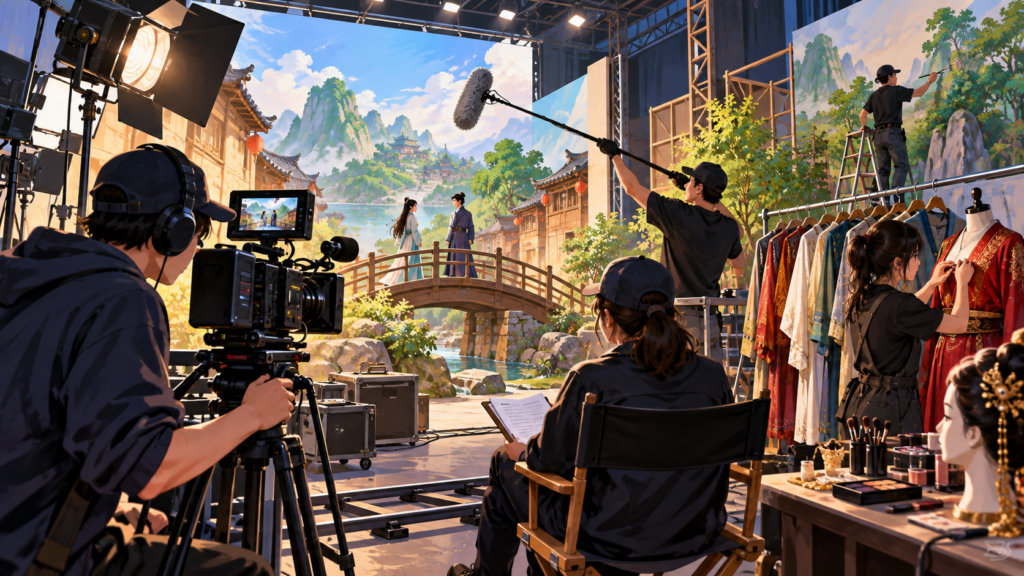
A film can show a huge invented world, then finish with a list of names so long that people leave before it ends. Those credits are a clue to how the world was made. The camera is important, but so are the people who built the room, recorded the performance and made sure the footage reached the next team intact.
At China Movie Metropolis in Qingdao’s Huangdao district, you can see that range of jobs in the facilities themselves. The complex opened in 2018. Its operator lists 40 sound stages and 32 set workshops, alongside water filming, virtual production and post-production services. These are facilities described by the operator, not a guarantee that every film uses all of them.
Build the room before renting the stage
A workshop and a sound stage do different work. The workshop is where scenery and props can be made; the stage is where the completed pieces are assembled for filming. The complex’s workshop description says crews can prepare items separately and then erect a large set inside the stage, reducing the time spent occupying it.
That separation makes ordinary practical sense. Imagine needing to repaint a school-play backdrop while the cast is already waiting under the lights. Building work, preparation and performance compete for the same space. Giving them suitable places helps a production organise its time, even when the final room looks completely seamless on screen.
The operator also lists dedicated painting and spraying, costume and general workshops. The finished image may bring their results together, but the work does not all happen beside the camera. A film city needs places where the things to be filmed can become ready for filming.
A performance can become data
Stage 5 is the complex’s virtual production platform. Its published capabilities include motion capture, facial capture, three-dimensional scanning, camera tracking and real-time rendering. A plain translation of that list is that the studio can record several different aspects of a scene and connect them to a digital version of it.
Motion capture deals with movement. Facial capture concentrates on the smaller changes that make a face expressive. The operator describes a camera system worn by the performer which records facial details while allowing body movement, with the information able to be synchronised with sound and other recordings.
The important thing is still the performance. A raised eyebrow or a changing expression has to be recorded before it can guide a digital character. The camera system supplies material for animation and visual effects; it does not remove the need for the person whose choices created those expressions.
Stage 5’s overview describes using a real-time engine to check composition, lighting and the relationship between filmed and virtual material. That can help a team examine a proposed result during production. It does not mean the first preview automatically becomes the final finished scene.
Scan a prop, or plan a space
The scanning service captures geometry and surface detail from people, props, costumes, scenery and spaces. Geometry describes shape; surface information helps describe what that shape looks like. Together they provide the starting material for a digital asset that another team can work on.
The operator gives several uses: digital doubles, reproducing or matching props, and surveying spaces before choosing camera positions. Those are different tasks. A scanned room might help plan a shot, while a scanned prop might help an effects team match something recorded on set. The scanner supplies a connection between a physical thing and a model of it.
That connection becomes especially useful when work passes between teams. If the object in a visual effect must resemble the object in the camera footage, its proportions and surface details matter. “Make it look like a vase” is a much less useful instruction than providing measured information about the particular vase.
The less glamorous job of keeping the footage
The complex calls its on-set data service DIT. Its description includes verifying footage, making several backups, organising filenames and shooting information, managing colour during monitoring, and preparing files and logs for the next stage of work. It links the camera’s recorded material with editing and finishing.
A checksum is one way of checking whether copied data matches its source. That is a different question from whether the shot is attractive. A clip can look fine in a quick preview while its copy still needs proper verification. The file also needs to be recognisable later, when someone is choosing among many takes.
Smaller working copies, often called proxies, can make editing more manageable while the original material is kept for finishing. Colour settings and logs help people understand how a viewed image relates to the recorded footage. These are handover tools: they stop the next team from having to guess what arrived.
Follow the work through the credits
Qingdao’s facilities make a film production easier to picture as connected jobs. A workshop prepares a set; a stage holds a performance; capture and scanning supply material for digital work; data staff organise what has been recorded. The exact combination depends on the production.
Next time a credit list rolls past, choose one unfamiliar job and find out what it did. The invented world may have disappeared when the screen went dark, but the work that held it together was real.
Explore next
Sources
- China Movie Metropolis: Studio complex and facilities
- China Movie Metropolis: Stage 5 virtual production platform
- China Movie Metropolis: Facial performance capture
- China Movie Metropolis: Three-dimensional scanning
- China Movie Metropolis: DIT: footage checks, backups and colour
- China Movie Metropolis: Set construction workshops